Support our educational content for free when you buy through links on our site. Learn more
Mixed Reality Robot Battles: Build Your Battle Arena 🤖

Mixed reality robot battles are best treated as immersive entertainment and a gateway to robotics—not as proof that a virtual robot design will work in real life. Choose an experience that clearly supports your device, play style, and preferred mode, then set up a safe space before your first match.
The appeal is easy to picture: a digital sumo bot squares up on your living-room floor, and suddenly that patch of carpet feels like a championship arena. But these experiences vary widely, from phone-based AR games to headset prototypes and full robotics simulators. The label “mixed reality” alone doesn’t tell you what the game can do.
We’ll help you sort out the technology, compare battle formats, check device compatibility, and decide when a virtual brawl can lead to real robot-building. One key distinction: a fun combat game and an engineering simulator are not the same thing.
Key Takeaways
- Mixed reality robot battles blend digital robots with your surroundings, but features vary by game and device.
- Check exact hardware compatibility and current features; prototype listings may describe future plans alongside what’s playable now.
- Clear your play space, set the device boundary, and recalibrate if tracking drifts.
- Use games to explore tactics and spark robotics interest, not to certify real-world designs or safety.
- For hands-on building and competition, check educational robotics resources and event-specific rules before choosing a kit or designing a robot.
Table of Contents
- ⚡️ Quick Tips and Facts
- 🤖 What Are Mixed Reality Robot Battles?
- Augmented Reality vs. Virtual Reality vs. Mixed Reality
- How Mixed Reality Robot Battle Platforms Work
- 📜 The Evolution of AR Robot Combat and Virtual Arenas
- 🎮 Best Mixed Reality Robot Battle Games and Experiences
- Mobile AR Robot Fighting Games
- Mixed Reality Headset Experiences
- Robotics Kits That Bring Battles to Life
- 🥊 Robot Battle Types, Arenas, and Game Modes
- Head-to-Head PvP and Local Multiplayer
- Solo Campaigns, Challenges, and Tournaments
- Custom Arenas and Interactive Environments
- 🛠️ Devices, Hardware, and Compatibility
- Smartphones and Tablets
- Meta Quest and Other Mixed Reality Headsets
- Controllers, Cameras, and Physical Robot Kits
- Operating Systems and Device Compatibility
- 🚀 How to Set Up Your First Mixed Reality Robot Battle
- Prepare Your Room and Play Space
- Install, Calibrate, and Build Your Arena
- Connect with Friends and Start a Match
- 🧠 Robot Customization, Controls, and Battle Strategy
- Weapons, Armor, Speed, and Special Abilities
- Controls, Physics, and Combat Tactics
- Progression, Upgrades, and Unlockables
- 🔍 How to Choose a Mixed Reality Robot Battle Game
- Compare Gameplay, Graphics, and Replay Value
- Check Multiplayer, Updates, and Community Support
- Understand Apps, In-Game Purchases, and Subscriptions
- ⚖️ Mixed Reality Robot Battles: Pros and Cons
- 🛡️ Safety, Privacy, and Age-Appropriate Play
- 🧰 Troubleshooting Tracking, Wi-Fi, and Performance Issues
- 🔮 The Future of Mixed Reality Robot Combat
- 🏁 Conclusion
- 🔗 Recommended Links
- ❓ FAQ
- 📚 Reference Links
Quick Tips and Facts
Mixed reality robot battles aren’t one standardized game genre. The phrase can describe digital robots fighting in your real room through a headset or phone, VR mech combat, or physical robotics competitions enhanced by virtual tools. Before you choose a game—or clear the coffee table—check what the experience actually supports.
| Quick fact | What it means for you |
|---|---|
| Mixed reality (MR) blends digital content with a view of your physical surroundings. | A virtual robot may appear to stand on your real floor or battle across a mapped play space. |
| Augmented reality (AR) overlays digital content on the real world; VR places you inside a virtual environment. | Product labels can be loose. Look for the specific features and device requirements, not just “AR/VR compatible.” |
| Robo Dojo has been described by a third-party listing as a Meta Quest prototype. | Its reported premise is sumo-style robots pushing AI opponents from a ring, not a full robot-building simulator. |
| A game’s visual realism does not certify real-world engineering performance. | Virtual testing can help you explore ideas, but it cannot prove a real robot’s structure, wiring, or weapon is safe. |
| MR tracking depends on your device, lighting, and environment. | Give the headset a clear play area and follow its boundary warnings. |
For a real-world counterpart to digital robot combat, start with our guide to robot fighting. Our team’s practical rule: choose your experience by what you want to do—fight, build, learn, or watch—then verify the hardware and game modes before you commit.
✅ Good fit: you enjoy playful competition, imaginative arenas, and experimenting with tactics.
❌ Not a substitute for: a physical combat-robot simulator, an engineering certification tool, or a sanctioned robot-fighting event.
🤖 What Are Mixed Reality Robot Battles?
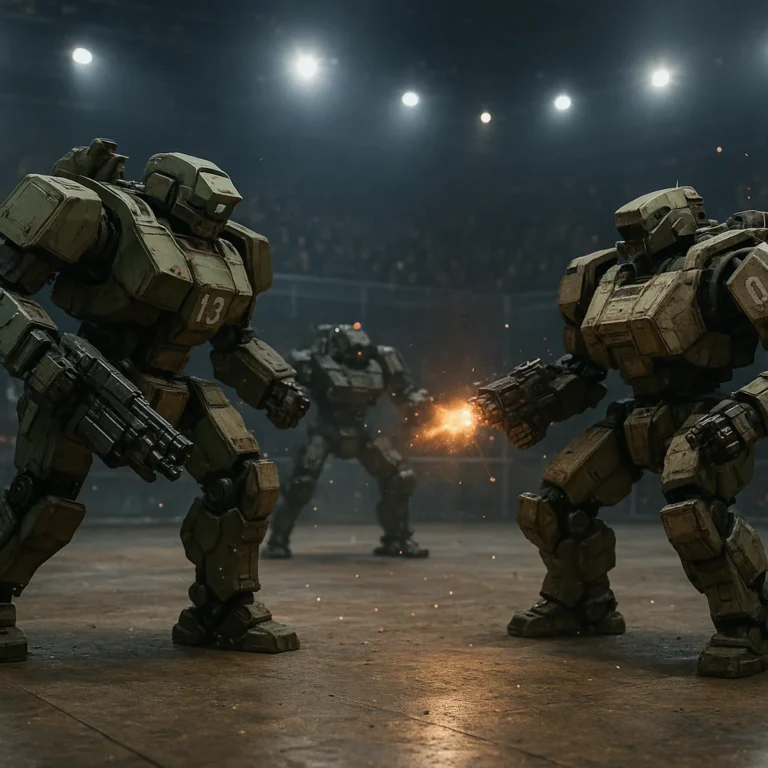
Mixed reality robot battles put robot combat into, or alongside, your physical space. Depending on the experience, you might watch virtual bots skitter across your living-room floor, pilot a digital mech in a headset, or use a simulation to explore robotics concepts.
The key distinction is how the real world participates. A robot game shown on a flat screen is not automatically mixed reality. A mixed-reality experience typically uses a camera or headset sensors to understand some part of your surroundings, then places or anchors digital objects within that view.
The category is still varied and evolving. As our guide to robot combat virtual arenas explains, “virtual robot combat” can mean anything from a piloted mech shooter to an engineering sandbox. Those experiences can be fun, but they do not all simulate the same thing—or teach the same skills.
Augmented Reality vs. Virtual Reality vs. Mixed Reality
The labels overlap in everyday marketing, so it helps to think in terms of what you see and do rather than the acronym printed on the box.
| Format | What you see | Typical robot-battle use | What to check |
|---|---|---|---|
| AR | Your real surroundings with digital elements layered over them, often through a phone or tablet camera. | Place a virtual robot or arena into the camera view. | Device support, tracking quality, and whether the digital arena stays anchored. |
| VR | A fully virtual environment, usually through a headset. | Enter a digital arena and pilot robots or mechs. | Headset model, controllers, comfort options, and play-space requirements. |
| MR | Digital objects interact with or appear anchored to a view of your physical environment. | Turn a mapped room, table, or floor into a robot arena. | Pasthrough quality, room scanning, boundaries, and supported headset features. |
| Robotics simulation | A digital model of a robot and its environment, often on a computer. | Test code, movement, or engineering concepts. | Whether the tool is a game, a learning resource, or a technical simulator. |
These are useful distinctions, not universal product guarantees. The XR Association’s overview of extended reality provides background on the broader family of immersive technologies. For a specific game, the developer’s device and feature list is more useful than a broad “VR” or “MR” label.
How Mixed Reality Robot Battle Platforms Work
A mixed-reality headset or phone uses cameras and sensors to estimate the surrounding space. The app can then position virtual content relative to that space. In a robot-battle game, this might mean setting a ring on your floor, placing obstacles around it, or showing a robot that appears to move through your room.
A typical session looks like this:
- The device checks your surroundings. You may be asked to scan the room or confirm a play boundary.
- The game anchors its arena. A virtual ring or battlefield is placed on a real surface or within a mapped space.
- You control the robot. Input might come from hand controllers, touch controls, gaze, or another supported method.
- The software simulates the match. Movement, collisions, scoring, and damage depend on the game’s rules and physics model.
- The app tracks the scene as you move. If lighting or tracking conditions are poor, virtual objects may drift or behave unexpectedly.
We treat those five steps as separate engineering challenges. A game can have clever combat but shaky tracking; another can map your room beautifully but offer shallow tactics. A convincing robot in your living room is an impressive visual trick—not proof that the game models real robot physics accurately.
What Robo Dojo Appears to Offer
A listing from ALT Lab VR describes Robo Dojo as a prototype mixed-reality robot-battling game for Meta Quest. The listing says players control a sumo-style robot and try to push AI-controlled opponents out of a ring, with Quest 3 as the intended platform and Quest 2 passthrough also mentioned.
That description makes Robo Dojo sound like a compact, room-scale sumo challenge—not a full workshop where you CAD a chassis, tune a motor controller, and build a competition-ready combat robot. The same listing describes the experience as single-player and mentions multiplayer and robot customization as future plans. Since prototypes change, check the developer’s current information before relying on those details.
A separate SideQuest page is available, but the supplied page information does not provide dependable gameplay specifications. That is why we give more weight to the more detailed ALT Lab VR description—and still recommend checking the current release notes or developer community for updates.
📜 The Evolution of AR Robot Combat and Virtual Arenas
Robot combat has always been a mix of engineering and theater. Physical events put machines into purpose-built arenas; digital games let players explore robots and battlefields without fabrication, repairs, or a pit crew carrying spare parts. Mixed reality adds a third flavor: the digital fight seems to happen in your own space.
That does not make every MR robot game a training simulator. There are several distinct branches:
- Virtual robot fighting games: built primarily for entertainment and competition.
- Mixed-reality arena games: place digital action into a view of a real environment.
- Robotics simulators: model a robot and its surroundings for testing or learning.
- Physical robotics competitions: real machines compete under event-specific rules.
Our robot design and engineering coverage focuses on the nuts and bolts: structures, drive systems, controls, and safe iteration. A game may borrow the language of robot engineering, but the actual fidelity can range from arcade fun to technical simulation.
The difference matters most when a player starts asking, “Could I build that?” You can absolutely use a game as inspiration. You should not treat a win in a game as evidence that a real machine will survive an impact. Real materials deform, fasteners loosen, motors heat up, batteries demand careful handling, and real arena rules can limit what is allowed. Our robot combat rules and regulations are a better starting point for physical competition.
🎮 Best Mixed Reality Robot Battle Games and Experiences
There is no single “best” experience for everyone, because the category includes different goals and devices. The most useful recommendation is to match the experience to your reason for searching.
| If you want to… | Look for… | Example or starting point |
|---|---|---|
| Battle digital robots in your room | Headset or mobile AR/MR, room anchoring, clear arena rules | Check the current Robo Dojo listing and supported Quest features. |
| Pilot a mech in a virtual arena | VR combat, responsive controls, comfort settings, multiplayer details | Search for a dedicated mech-combat game, then verify headset support. |
| Build and test virtual robots | Engineering tools, editable designs, physics and controller features | Explore tools such as Webots or Gazebo for robotics simulation. |
| Play online robot-themed PvP | Matchmaking, modes, maps, loadouts, and active support | Mech Arena by Plarium is a robot-themed online PvP game, not a physical combat-robot engineering simulator. |
| Compete with real robots | A local robotics league or an organized event with published rules | Explore our robot battle events coverage. |
Mobile AR Robot Fighting Games
Mobile AR is appealing because you may already own a compatible phone or tablet. A camera-based app can make a small digital arena appear on a table or floor without requiring a headset.
Before downloading, check:
- Supported phone and operating-system versions
- Whether the app needs camera, motion, or location permissions
- How it handles multiplayer and private matches
- Whether it offers one-time play, optional purchases, or subscriptions
- Recent reviews that mention tracking, crashes, or compatibility
- Whether the game is actively updated
App-store ratings can help you spot recurring complaints, but read the recent written reviews, not just the overall star score. A game that worked one phone generation may behave differently on another. Also, a camera-overlay game may be described as AR without offering the room mapping or object interaction you expect from headset MR.
Mixed Reality Headset Experiences
A headset can offer a larger, more spatial experience than a phone, especially when the game tracks your surroundings and anchors a digital ring. But “works on Quest” is not enough information. Check the exact headset model, passthrough mode, controller support, and whether the game is designed for room-scale play.
The available description of Robo Dojo is a useful example of why these checks matter: ALT Lab VR describes it as a prototype, reports a single-player sumo-style format, and mentions future features rather than promising them as current features. That is a very different proposition from a polished online battler with ranked matchmaking.
✅ Promising signs: recent developer updates, clear device compatibility, active community feedback, and explained comfort settings.
❌ Red flags: vague compatibility, unclear multiplayer claims, no current update information, or reviews repeatedly reporting tracking issues.
Robotics Kits That Bring Battles to Life
A physical robot kit is not itself a mixed-reality robot battle, but it can be a satisfying bridge from virtual play to hands-on engineering. LEGO Education SPIKE Prime and VEX Robotics products support educational robotics activities; availability and kit features vary by product and program.
If you want to build instead of just pilot, start with a kit intended for learning, then work up to more advanced designs. Compare the activity to your goals:
| Goal | Better starting point | Why |
|---|---|---|
| Learn basic construction and coding | A beginner-friendly educational robotics kit | Structured projects make cause and effect easier to understand. |
| Join a school or community team | A competition ecosystem such as VEX Robotics | Rules, team formats, and event pathways are clearly organized. |
| Design a real combat robot | A local event’s published rules and a suitable safety plan | Competition constraints affect size, drive, materials, and permitted mechanisms. |
Browse LEGO Education’s SPIKE Prime information and the VEX Robotics competition programs. These are educational and competition resources, not endorsements of using classroom kits as combat robots. Follow the kit’s instructions and event rules.
🥊 Robot Battle Types, Arenas, and Game Modes
A robot’s behavior depends on the kind of match it enters. A sumo ring rewards pushing and edge control. A capture-style match rewards route planning. A mech shooter rewards aiming and use of cover. A physics sandbox might not have a win condition at all.
Before installing a game, look for the match structure:
- Objective: knock out, push out, score points, hold an area, or survive?
- Arena: fixed ring, room-mapped space, tactical map, or user-created layout?
- Combat model: collisions, projectiles, cooldowns, or simplified health bars?
- Match format: solo, cooperative, local multiplayer, online PvP, or tournaments?
- Spectator options: can friends watch without taking over the play space?
Our robot battle strategies cover a principle that works in games and real competitions alike: the arena is part of the opponent.
Head-to-Head PvP and Local Multiplayer
Player-versus-player combat adds mind games to movement and equipment. You can bait an opponent into a poor approach, control a narrow lane, or save a special ability for the moment it matters.
But multiplayer claims deserve careful checking. A developer might mean same-room play, online matchmaking, private rooms, or a feature that is still planned. Verify:
- Is multiplayer available now, or only on a roadmap?
- Can players use different headset models?
- Are private matches supported?
- Does the game require an account or voice chat?
- Are there moderation and reporting tools?
- Can spectators watch without needing a second copy or headset?
With an emerging prototype, a small community can be an advantage: developers may listen closely to player feedback. It can also mean fewer opponents and less polished matchmaking. A lively Discord is a sign of community activity, not proof that an advertised future mode has shipped.
Solo Campaigns, Challenges, and Tournaments
Solo play is a good way to learn movement and timing without the pressure of a human opponent. AI opponents can also make a useful practice ladder if they offer distinct behaviors or difficulty levels.
Look for more than “campaign” in a store description:
- Does the game teach controls gradually?
- Do opponents require different tactics?
- Are challenge conditions varied, or just harder versions of the same match?
- Is progress saved between sessions?
- Can you practice in a low-pressure training mode?
- Are tournaments in-game, community-run, or official physical events?
A prototype may deliver a fun one-one challenge while offering little progression. That is not automatically a flaw; it simply means you should judge it as a short-form arena experience rather than a deep career mode.
Custom Arenas and Interactive Environments
MR promises an arena built from your surroundings, but a mapped room is not always a fully interactive battlefield. Some games use your environment mainly as a visual background; others let you place objects, change boundaries, or create obstacles.
Check whether the arena’s features affect gameplay:
| Arena feature | Tactical value if supported |
|---|---|
| Ring boundary | Encourages edge awareness and controlled pushes. |
| Obstacles or cover | Creates routes, ambush points, and line-of-sight choices. |
| Uneven or varied surfaces | May change movement or grip if the physics model supports it. |
| Hazards | Can add risk, but only if they have clear, consistent rules. |
| Custom layouts | Increases replay value when placement changes tactics. |
Don’t assume a virtual table or floor obstacle behaves like a real object. The app may render a digital barrier but not model the weight, friction, or structural consequences of a physical collision. The visuals are part of the game; the underlying rules decide whether they are strategically meaningful.
🛠️ Devices, Hardware, and Compatibility
The hardware determines what the game can sense, display, and control. A phone-based AR app, a passthrough headset experience, and a PC robotics simulator need different equipment and have different setup demands.
| Hardware | Typical use | Main advantage | Main limitation |
|---|---|---|---|
| Smartphone or tablet | Camera-based AR | Familiar controls and portability | Smaller view; tracking and screen viewing can be awkward during movement. |
| Standalone VR/MR headset | Immersive arena play | Hands-free view of a digital scene and spatial input | Device-specific support, comfort, and safe-space setup matter. |
| PC | Robotics simulation or desktop robot games | Flexible controls and access to technical tools | Not automatically mixed reality; may require a capable computer. |
| Robotics kit | Physical construction and coding | Hands-on learning and tangible feedback | Requires workspace, supervision where appropriate, and attention to instructions. |
Smartphones and Tablets
For mobile AR, the device needs a compatible camera and operating system, and the app may depend on the phone’s AR framework. Apple’s ARKit documentation and Google’s ARCore documentation explain the underlying development platforms.
For players, the practical questions are simpler:
- Does the app list your exact device as supported?
- Does it require a newer operating-system version?
- Does it work offline?
- Can you play without walking around while looking down at a screen?
- Are camera permissions clearly explained?
A large tablet may make robot details easier to see, but holding it steadily can become tiring. A phone is easier to handle and more portable. Neither is automatically a better fit; it depends on the controls and play style.
Meta Quest and Other Mixed Reality Headsets
Headset features vary by model. Pasthrough, room understanding, controller tracking, and supported MR tools should be verified for the exact device and app combination. Meta’s Quest support pages are the place to confirm current device guidance; a game developer’s listing should specify compatible models.
The Robo Dojo description from ALT Lab VR names Quest 3 and mentions Quest 2 passthrough, but that should be treated as the listing’s stated compatibility, not a promise that every feature works identically on every headset. Check the current app page and developer updates.
For comfort and safety, look for:
- Seated or standing options
- Adjustable movement and camera effects
- Clear guardian or boundary instructions
- Controller remapping or alternative input options
- A way to pause immediately
- Warnings about objects and people in your play area
Controllers, Cameras, and Physical Robot Kits
Controllers can make a big difference to the feel of combat. Joysticks may suit precise driving; buttons are useful for attacks and abilities; hand tracking can feel intuitive but may not offer the precision you want for fast competitive play.
For physical robot kits, confirm what is included and what requires separate purchase: controller, sensors, batteries, charging equipment, software, and building materials. A kit’s official specification page is more reliable than a short marketplace summary.
The VEX Robotics and LEGO Education websites provide official product and learning information. If your aim is combat robotics, start by studying an event’s own rules rather than trying to adapt an educational kit beyond its intended use.
Operating Systems and Device Compatibility
Compatibility can change after software updates. Confirm it at three levels:
- The app’s current store listing
- The hardware maker’s support documentation
- Recent user reports for your device and operating-system version
For online play, also check network needs and account requirements. If an app’s listing says “Quest compatible” without naming the supported models or passthrough features, ask the developer or community before downloading. That extra minute can save you from discovering a compatibility mismatch after you’ve cleared the room.
🚀 How to Set Up Your First Mixed Reality Robot Battle
A good setup is less about having a huge room and more about clear space, stable tracking, and knowing where your real furniture ends. The first time we try a room-scale experience, we treat calibration like laying out an arena: slow, deliberate, and worth doing properly.
Prepare Your Room and Play Space
- Choose an open area. Move chairs, cords, bags, pets’ toys, and anything you could kick or trip over.
- Check the floor and nearby surfaces. Clear the space where you’ll stand or move, not only the apparent location of the virtual ring.
- Improve visibility. Follow the headset or phone maker’s recommendations for lighting and tracking conditions.
- Tell other people you’re playing. Keep children, pets, and curious spectators outside your movement area.
- Set a boundary. Use the device’s play-space tools and stay within the limits it displays.
- Keep the controls and headset secure. If a controller strap or headset fit adjustment is recommended by the manufacturer, use it.
Meta’s Quest health and safety guidance is a useful reference for headset play. Follow the instructions for your specific device; sensor systems and safety features are not a replacement for clearing the area.
Install, Calibrate, and Build Your Arena
- Check device support before installing. Confirm the headset, phone, operating system, and controllers.
- Read the app permissions. Camera or spatial features may be needed for MR; other permissions should make sense for the game.
- Launch in the intended play mode. Some experiences distinguish between seated, standing, and room-scale play.
- Scan or define the space. Let the app map the room if required, then confirm the proposed arena position.
- Test a short movement. Walk or turn slowly and confirm that virtual elements remain stable.
- Start with a simple match. Learn the controls before increasing difficulty or inviting a rival.
- Pause and recalibrate if the arena drifts. Don’t keep playing through a tracking problem.
If the ring seems to slide across the floor, stop and recalibrate. In a sumo-style game, a drifting arena can make a smart push look like an accidental stroll into the furniture.
Connect with Friends and Start a Match
- Confirm that multiplayer is a current feature. Don’t confuse a planned mode with an available one.
- Check the format. Local play, online matchmaking, private rooms, and cross-platform play are different features.
- Review account and voice-chat settings. Turn only what you need.
- Agree on a clear play area. Each player should have room to use their device safely.
- Set a simple match goal. Decide whether you’re learning controls, testing tactics, or competing.
- Take turns watching and playing if space is limited. A spectator can notice patterns that are hard to spot while piloting.
For community tournaments and in-person events, browse our robot battle events section. A virtual match in your living room and a sanctioned physical competition have different equipment, rules, and safety expectations.
🧠 Robot Customization, Controls, and Battle Strategy
Good robot play is usually about making trade-offs, not maxing out every stat. A heavier bot may be tougher but slower. A nimble one may dodge well but lose a head-on shove. Even in an arcade game, those choices make battles feel more like strategy than button-mashing.
The available Robo Dojo listing describes a sumo-style objective, but says customization is a future plan. That matters: don’t buy into the idea of a deep build system unless the current version actually has one.
Weapons, Armor, Speed, and Special Abilities
If a game offers customization, inspect how each choice affects play—not just the stat bar.
| Design choice | Potential benefit | Trade-off to watch |
|---|---|---|
| More armor | Higher durability or resistance | Reduced speed or maneuverability |
| Higher mobility | Easier positioning and dodging | Less stability or lower durability |
| Stronger pushing | Better chance to move an opponent | May require a close, well-controlled approach |
| Ranged attack | Can threaten from a distance | May need aim, line of sight, or cooldown management |
| Special ability | Can change a fight at a key moment | Often has limited uses or recovery time |
This is a gameplay framework, not a claim that every game models real engineering. In physical robot design, changing mass, geometry, power, and materials has real engineering consequences. Explore our robot design and engineering guides before treating a virtual loadout as a build blueprint.
Controls, Physics, and Combat Tactics
Start with fundamentals:
- Control the center. Avoid rushing straight at an opponent if you can gain a better angle.
- Protect your position. In a ring-out match, awareness of the boundary can matter more than a flashy attack.
- Watch recovery time. A move that leaves you exposed may help your opponent.
- Change one tactic at a time. It’s easier to learn whether a new approach worked.
- Review losses. Did you get outmaneuvered, overcommit, or simply misunderstand the arena?
The same lesson appears in real competitions: mobility, control, and strategy interact. But simulation quality varies. A game may simplify traction, collisions, or damage for fun. Treat the controls as a game system first, and only then ask what engineering concepts might transfer.
Progression, Upgrades, and Unlockables
Progression can keep an arena game engaging, but it can also hide the actual gameplay behind repeated matches. Check whether upgrades change strategic options or simply make your robot numerically stronger.
Before investing time, ask:
- Can you earn upgrades through play?
- Are purchases optional or required to progress?
- Do upgrades affect fair matchmaking?
- Is progress tied to an online account?
- Does the game explain unlock conditions clearly?
- Are customization features available now or still planned?
For prototypes, the most valuable “upgrade” may be developer feedback. ALT Lab VR’s Robo Dojo description invites players to share experiences through its community. That can be rewarding if you enjoy testing evolving software, but it also means features and polish may change.
🔍 How to Choose a Mixed Reality Robot Battle Game
Choose by experience, hardware, and trustworthiness. A flashy trailer can sell the fantasy; the compatibility page and recent user feedback tell you whether it works in your room.
Compare Gameplay, Graphics, and Replay Value
Use this checklist when comparing games:
| What to assess | Questions to ask |
|---|---|
| Gameplay | Is the core loop pushing, shooting, building, racing, or solving challenges? |
| Mixed-reality features | Does it use room mapping, passthrough, camera overlays, or only a virtual environment? |
| Controls | Are they precise and comfortable for short or long sessions? |
| Replay value | Are there different opponents, arenas, modes, or meaningful tactics? |
| Performance | Do recent reviews report tracking drift, crashes, or lag? |
| Accessibility | Are movement, seated play, subtitles, or control options described? |
| Support | Has the developer updated the experience or answered player feedback? |
Graphics matter, but in a robot brawler, responsive controls and clear arena boundaries matter more. A beautiful virtual bot that keeps sliding out of its marked ring is less a gladiator and more a confused Romba.
Check Multiplayer, Updates, and Community Support
Look for an actual feature list and recent developer activity. In an early-access or prototype project, a community forum or Discord can be useful for reporting bugs and learning what is planned. Still, a roadmap is not a delivery date.
Check:
- Latest update date and version notes
- Current versus planned multiplayer features
- Matchmaking, private rooms, and cross-platform support
- Player reports about connection stability
- Community rules and moderation
- Developer responses to bug reports
A small team may respond directly to players but have limited capacity to release frequent updates. A larger publisher may provide broader infrastructure, but that does not guarantee the gameplay will suit you. Weigh the actual product, not the size of the studio.
Understand Apps, In-Game Purchases, and Subscriptions
Review the app-store listing before installing. Look at its permissions, account requirements, in-app purchase disclosures, and privacy information. For account or data questions, use the developer’s policy and the platform’s official support pages.
✅ Check the fine print: subscriptions, optional purchases, account linking, ads, and voice or social features.
❌ Don’t assume: a free download has no paid features, a store rating reflects your device, or a planned mode is already playable.
For a family device, discuss purchases and multiplayer settings before handing over the headset. That one conversation is far less exciting than a surprise account notification—and much easier to manage.
⚖️ Mixed Reality Robot Battles: Pros and Cons
| Pros ✅ | Cons ❌ |
|---|---|
| Makes a digital arena feel connected to your room. | Requires compatible hardware and a suitable play space. |
| Can be a low-barier way to explore robot-combat ideas. | Game physics may be simplified and do not predict real robot performance. |
| Avoids building, maintaining, or transporting a physical combat robot. | Tracking quality and comfort can vary by device and environment. |
| Lets players experiment with tactics quickly. | Multiplayer, customization, or campaign features may be limited or still planned. |
| Can spark interest in coding, design, and robotics. | An entertaining game is not automatically a learning tool or engineering simulator. |
For newcomers, the biggest benefit is fast experimentation. You can try a different approach in minutes. The biggest caution is overinterpreting what the simulation proves. Digital collisions do not certify a physical machine’s materials, wiring, battery safety, or compliance with event rules.
🛡️ Safety, Privacy, and Age-Appropriate Play
Mixed reality brings your real room into the experience, so setup deserves as much attention as the game itself.
Physical Safety
- Clear the entire play area, including space behind you.
- Keep pets, siblings, and spectators outside your movement zone.
- Use the headset’s boundary system and obey its warnings.
- Stop if you feel discomfort, dizziness, or disorientation.
- Take breaks and follow the device maker’s health guidance.
- Don’t play near stairs, glass, hot surfaces, or sharp furniture edges.
The U.S. Consumer Product Safety Commission offers general information about virtual reality headset safety. Follow the headset manufacturer’s current guidance as well.
Privacy and Family Settings
Review camera, spatial mapping, microphone, voice-chat, and account permissions. The app should explain why it needs access. For children, check the platform’s age guidance, parental controls, online interaction settings, and purchase restrictions.
For physical robotics kits, follow the maker’s age recommendations and supervision instructions. Don’t adapt classroom or hobby electronics into a weapon or high-energy combat mechanism without appropriate expertise, safe testing procedures, and a competition rulebook. Our robot combat rules and regulations are the right place to begin before planning a real event build.
🧰 Troubleshooting Tracking, Wi-Fi, and Performance Issues
When an MR robot appears to drift, the cause may be the room, the device, the app, or the network. Start with simple checks rather than changing everything at once.
Tracking or Arena Drift
- Pause the game.
- Check that the room is sufficiently lit according to the device guidance.
- Reconfirm the play boundary and arena position.
- Remove or cover reflective or visually confusing surfaces if the manufacturer recommends it.
- Restart the app and repeat calibration.
- Check for device or app updates if the issue persists.
Lag, Disconnections, or Multiplayer Problems
- Confirm the internet connection is stable.
- Restart the game and reconnect to the correct room or match.
- Check whether the service has an outage or maintenance notice.
- Confirm that all players use supported hardware and current app versions.
- Test a solo mode to separate network problems from performance problems.
Comfort or Control Problems
- Adjust the headset fit and controller straps.
- Try a seated or comfort mode if available.
- Reduce movement effects or camera acceleration where possible.
- Review controller settings and sensitivity.
- Stop if symptoms continue; don’t try to “push through” discomfort.
If a problem only happens in one game, report it to that developer with your device model, software version, and a short description of what you were doing. Specific reports are more useful than “it’s broken”—and more likely to help the next player.
🔮 The Future of Mixed Reality Robot Combat
The most exciting opportunity is not just putting a digital robot on your floor. It is connecting play with hands-on learning: letting players test movement, explore control ideas, build a physical robot, then compare what the model got right and wrong.
That bridge needs honesty. Robotics platforms such as Webots and Gazebo are designed for robotics simulation and development, not turnkey robot-fighting entertainment. Games such as Mech Arena are built for combat-themed online play, not engineering validation. Mixed-reality experiences such as Robo Dojo aim at yet another niche: putting robot battles into a real-world view.
The VEX competition perspective offers a useful counterpoint. In the featured video, the story combines a sci-fi mech narrative with the real-world intensity of the VEX Robotics World Championship: teams troubleshoot faulty brain cables, adjust odometry wheels, adapt strategies mid-tournament, and help one another in the pits. The competition described features more than 800 teams from over 50 countries, with the message that “At VEX, everybody helps everybody.”
That is the part a mixed-reality game can imitate only up to a point. A virtual match can teach patience and tactical thinking, but a real robotics community adds teamwork, repair, mentorship, and the pressure of a machine that has to work when the buzer sounds. The two worlds are strongest together: play digitally, learn the principles, then build and compete safely in the real one.