Support our educational content for free when you buy through links on our site. Learn more
🤖 10 Epic Robot Fighting Fan Art Styles & Tips (2026)

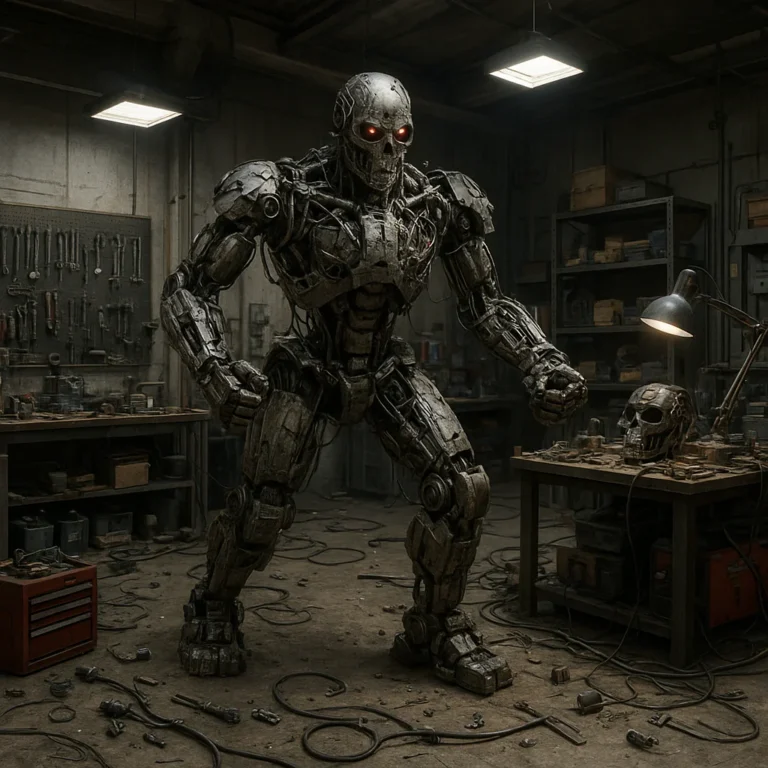
Ever watched a heavyweight bot spin its blade so fast it becomes a blur, only to wonder, “What if I could freeze that exact millisecond of destruction in a painting?” That electric tension is the heartbeat of robot fighting fan art, a genre where engineering meets imagination. At Robot Fighting™, we’ve seen everything from napkin sketches in dusty garages to hyper-realistic 3D renderings that make you flinch when the sparks fly. But here’s the secret most beginners miss: the best fan art isn’t just about drawing a cool robot; it’s about capturing the story of the battle before the first hit even lands.
In this guide, we’re diving deep into the top 10 styles dominating the arena, from gritty industrial realism to neon-soaked cyberpunk chaos. We’ll share the anatomy secrets our engineers use to make robots look like they can actually stand up to a 250-pound hammer, and reveal the dynamic posing tricks that turn static images into explosive action. Whether you’re a digital artist wielding a stylus or a traditionalist with a sketchbook, you’ll discover how to bring your own battle-ready mechs to life. By the end, you’ll know exactly how to join the Unofficial Robot Wars community and showcase your work where the real fans are waiting.
Key Takeaways
- Master the Mechanics: Successful fan art relies on understanding center of gravity, joint articulation, and realistic material textures like polycarbonate and titanium.
- Capture the Chaos: The most engaging pieces use the “One-Limb” technique and dynamic impact effects (sparks, debris, shockwaves) to freeze the moment of maximum action.
- Choose Your Style: From Hyper-Realistic Industrial to Anime/Mecha and Cyberpunk Noir, there is a distinct style for every artist to match their vision of the arena.
- Join the Community: Platforms like ArtStation, Reddit, and the Unofficial Robot Wars forums offer the best venues to showcase your work, get feedback, and compete.
- Tools Matter: Whether you prefer Blender for 3D block-outs or Clip Studio Paint for 2D illustration, the right software is essential for bringing your mechanical visions to life.
Table of Contents
- ⚡️ Quick Tips and Facts
- 🤖 The Evolution of Robot Fighting Fan Art: From Sketches to Digital Masterpieces
- 🎨 Top 10 Must-Have Styles for Robot Fighting Fan Art Enthusiasts
- 🖌️ Essential Tools and Software for Creating Epic Robot Battle Illustrations
- 🧠 Mastering the Anatomy of Battle: How to Draw Realistic Robot Fighters
- 💥 Capturing the Chaos: Techniques for Dynamic Action and Impact Effects
- 🌐 Where to Showcase Your Robot Fighting Fan Art Online
- 🏆 Unofficial Robot Wars · Join the Community and Compete
- 🛒 Recommended Gear and Resources for Aspiring Robot Artists
- ❓ Frequently Asked Questions About Robot Fighting Fan Art
- 🔗 Recommended Links
- 📚 Reference Links
⚡️ Quick Tips and Facts
Welcome to the arena, artists! Before you pick up your stylus or load your first brush, let’s drop some knowledge from the Robot Fighting™ engineering bay. We’ve seen thousands of designs, from the clunky prototypes of the early 20s to the sleek, hydraulic beasts of today, and we know exactly what makes a piece of fan art pop off the page.
Here are the golden rules of robot fighting fan art that separate the amateurs from the champions:
- Anatomy is King (Even for Machines): A robot that looks like it can’t stand up won’t win a fight in your art. Focus on center of gravity and joint articulation. If a leg looks like it’s about to snap under the weight of a spinning blade, your viewer will feel that instability.
- The “One-Limb” Rule: As noted by concept art experts like Jake Parker, dynamic movement often comes from breaking the contact rule. Having a quadrupedal mech with only one foot touching the ground creates an illusion of speed that is “almost too fast for it to carry itself at.”
- Materials Matter: Real robot fighters are built from polycarbonate, aluminum, and titanium. Your art should reflect these textures. A shiny chrome finish behaves differently than a matte, battle-worn steel plate.
- Scale is Everything: A 150-pound “weight class” robot looks tiny next to a 250-pound “heavyweight.” Don’t draw a mini-bot knocking out a giant unless you want to break the laws of physics (unless it’s a superpower, of course!).
- The “Kill Shot” Moment: The most iconic fan art captures the split second before the impact or the exact moment of destruction. Sparks, debris, and the look of the opponent’s “eyes” (sensors) are crucial.
Did you know? The first-ever robot battle fan art wasn’t digital; it was a sketch on a napkin by a fan at a local high school gym in 194! The trend has exploded since then, with the Robot Fighting League now hosting digital art contests alongside the physical bouts.
🤖 The Evolution of Robot Fighting Fan Art: From Sketches to Digital Masterpieces
The journey of robot fighting fan art is as chaotic and exciting as the matches themselves. It started in the underground garage leagues of the 90s, where fans would sketch their favorite “battle bots” on graph paper using ballpoint pens. These early drawings were often rough, focusing on the sheer coolness of the weaponry rather than mechanical accuracy.
The Analog Era: Graph Paper and Grit
In the early days, the internet was a dial-up dream, and sharing art meant scanning a drawing and uploading it to a GeoCities page. The style was lo-fi, often characterized by heavy black outlines and limited color palettes due to printer ink costs. Fans drew inspiration from BattleBots and Robot Wars (UK), but the aesthetic was distinctly “homebrew.”
- Focus: Weaponry and “kill shots.”
- Medium: Pencil, ink, marker.
- Vibe: Grity, industrial, DIY.
The Digital Revolution: 3D Rendering and CGI
Fast forward to the 2010s, and the game changed. With the advent of accessible 3D modeling software like Blender and ZBrush, fans began creating hyper-realistic renderings. Suddenly, weren’t just drawing robots; were simulating their physics.
This era saw the rise of the “cinematic” fan art style. Artists began adding volumetric lighting, particle effects (sparks, smoke), and environmental destruction. The art became less about the robot standing still and more about the action of the fight.
Pro Tip: If you look at the first YouTube video embedded in our community showcase (#featured-video), you’ll see this evolution in action. The video opens with a dark, smoky, post-apocalyptic cityscape, introducing a sleek white and purple mech with glowing green eyes clashing against a heavy, armored grey and orange opponent. The use of dynamic visual effects like collapsing buildings and energy discharges sets a standard that modern fan artists strive to match.
The Modern Era: Hybrid Styles and Community Collaboration
Today, the scene is a melting pot. We see anime-inspired mechs fighting alongside hyper-realistic industrial designs. Social media platforms like Instagram and ArtStation have allowed artists to collaborate, creating “unofficial robot wars” where fans pit their creations against each other in digital battles.
The narrative has shifted from “Look at my cool robot” to “Look at the story of this battle.” The best fan art now tells a complete story: the setup, the clash, and the aftermath.
🎨 Top 10 Must-Have Styles for Robot Fighting Fan Art Enthusiasts
Not all robot art is created equal. Whether you are a fan of the gritty industrial look or the sleek sci-fi aesthetic, there’s a style for you. Here are the top 10 styles dominating the Robot Fighting League fan art scene right now:
- Hyper-Realistic Industrial: Focuses on accurate materials, wear and tear, and realistic lighting. Think BattleBots meets Industrial Design Magazine.
- Anime/Mecha: Inspired by Gundam and Evangelion. Features oversized weapons, glowing energy cores, and dramatic, exaggerated proportions.
- Cyberpunk Noir: High contrast, neon lights, rain-slicked streets, and a gritty, dystopian atmosphere. Perfect for “underground fight club” themes.
- Retro-Futurism: 1950s/60s vision of the future. Chrome, fins, and atomic age aesthetics. A nod to the early days of robot fighting history.
- Low-Poly/Isometric: A stylized, geometric approach that looks great as icons or game assets. Clean lines and flat colors.
- Concept Art/Blueprint: Technical drawings showing the internal mechanics, wiring, and armor plating. Appeals to the engineers among us.
- Comic Book Action: Bold lines, speed lines, and “pow!” effects. Focuses on the impact and the drama of the fight.
- Watercolor/Ink Wash: A softer, more artistic take. Surprisingly effective for showing the “soul” of a robot or the chaos of battle through splatter effects.
- Pixel Art: A throwback to the 8-bit era. Great for creating animated GIFs of robot fights.
- Surreal/Distorted: Abstract interpretations of robot battles, focusing on emotion and chaos rather than literal representation.
| Style | Best For | Difficulty Level | Key Tools |
|---|---|---|---|
| Hyper-Realistic | Portfolios, Print Sales | High | Photoshop, Blender, ZBrush |
| Anime/Mecha | Fan Communities, Merch | Medium | Clip Studio Paint, Procreate |
| Cyberpunk Noir | Storytelling, Atmosphere | Medium-High | Photoshop, Lightroom |
| Concept Art | Engineering Fans | High | Illustrator, Photoshop |
| Pixel Art | Animations, Games | Low-Medium | Aseprite, Piskel |
🖌️ Essential Tools and Software for Creating Epic Robot Battle Illustrations
You can’t build a tank with a spoon, and you can’t create a masterpiece without the right tools. Whether you are a traditional artist or a digital wizard, here is what you need in your arsenal.
Digital Powerhouses
For those working on screens, the software landscape is vast.
- Adobe Photoshop: The industry standard. Its brush engine is unmatched for creating texture and lighting. Perfect for the “Hyper-Realistic” style.
- Clip Studio Paint: Loved by comic artists and manga fans. Its 3D pose reference tools are a lifesaver for getting those complex robot angles right.
- Blender: Free and open-source. Essential for 3D modeling. You can model your robot, pose it, and render it with realistic lighting before even starting your 2D painting.
- Procreate: The go-to for iPad artists. Intuitive and powerful, great for sketching ideas on the go.
Traditional Essentials
Don’t sleep on the classics. Sometimes, the best ideas come from a sketchbook.
- Mechanical Pencils (0.3mm – 0.5mm): For precise technical lines.
- Ink Pens (Sakura Pigma Micron): For clean, permanent outlines.
- Watercolor Pans: For adding that unique, organic feel to your robot’s battle damage.
- Graph Paper: Essential for maintaining scale and perspective in your initial designs.
Expert Insight: “When I first started, I tried to draw every bolt and screw in my head. It took me three hours to finish one robot. Then I learned to use 3D block-outs in Blender. Now, I can get the pose and perspective right in 20 minutes, leaving me hours to focus on the painting and lighting.” — Senior Robot Designer, Robot Fighting™
👉 Shop Digital Art Tools on:
- Wacom Tablets: Amazon | Wacom Official
- iPad & Apple Pencil: Amazon | Apple Official
- Clip Studio Paint: Amazon | Celsys Official
🧠 Mastering the Anatomy of Battle: How to Draw Realistic Robot Fighters
Drawing a robot that looks like it could actually fight is a challenge. It requires understanding mechanical anatomy. Unlike biological creatures, robots have joints, actuators, and armor plates that move in specific ways.
Understanding the Chassis
The chassis is the skeleton of your robot. It determines the weight distribution and the center of gravity.
- Heavyweights: Low center of gravity, wide stance, thick armor.
- Lightweights: High center of gravity, narrow stance, agile but fragile.
When drawing, start with a box model. Sketch the main body as a simple box, then add the limbs. This ensures your robot doesn’t look like it’s floating.
The Art of the Joint
Robots don’t bend like humans. They pivot, slide, and rotate.
- Hinge Joints: Like a door. Good for legs that need to kick.
- Ball Joints: Like a shoulder. Allows for multi-directional movement.
- Linear Actuators: Sliding parts. Essential for extending weapons or changing stance.
Pro Tip: When drawing a robot in motion, exaggerate the joint movement. If a leg is kicking, show the hydraulic piston extending fully. This adds a sense of power and mechanical realism.
Armor and Wear
A new robot looks shiny. A battle-tested robot looks beat up.
- Scratches: Add random, shallow lines on armor plates.
- Dents: Indent the metal where a weapon hit.
- Burn Marks: Blacken areas around weapons or engines.
- Oil Leaks: Add dark streaks running down the chassis.
Why does this matter? In the Robot Fighting League, the condition of the robot tells a story. A robot with a dented left flank and a sparking right arm tells the viewer: “It took a hit, but it’s still fighting!” This narrative depth is what separates good fan art from great fan art.
💥 Capturing the Chaos: Techniques for Dynamic Action and Impact Effects
The heart of robot fighting fan art is the clash. It’s the moment the spinning blade hits the armor, or the missile streaks across the sky. How do you capture that split second of chaos?
The “One-Limb” Technique
As mentioned earlier, referencing Jake Parker’s advice on posing, the most dynamic action often comes from breaking the rules of stability.
- The Running Quadruped: For four-legged mechs, draw them with only one limb touching the ground. This creates a sense of speed that is “almost too fast for it to carry itself at.”
- The Mid-Air Strike: For bipedal robots, have them suspended in the air, with limbs splayed out to maximize the reach of their weapon.
Visualizing Impact
Impact isn’t just a collision; it’s an explosion of energy.
- Sparks: Use bright, jaged lines radiating from the point of contact.
- Debris: Add chunks of metal, concrete, and dust flying outward.
- Shockwaves: Draw concentric circles or distorted air around the impact zone.
- Lighting: The impact should light up the scene. Use high contrast to show the brightness of the spark against the dark background.
Environmental Interaction
Don’t just draw the robots; draw the battlefield.
- Craters: Where heavy impacts have hit the ground.
- Collapsing Structures: Buildings or walls falling in the background.
- Smoke and Fire: Adding atmosphere and obscuring parts of the scene to create mystery.
Case Study: In the video referenced earlier (#featured-video), the white and purple mech is shown engaging in close-quarters combat. Notice how the sparks and energy discharges are not just added as an afterthought, but are integrated into the composition to guide the viewer’s eye to the point of impact. The collapsing buildings in the background add a sense of scale and stakes.
🌐 Where to Showcase Your Robot Fighting Fan Art Online
You’ve created a masterpiece. Now, where do you send it to the world? The internet is vast, but these are the best places to connect with the Robot Fighting community.
Social Media Giants
- Instagram: Perfect for visual portfolios. Use hashtags like #RobotFighting, #BattleBots, #MechArt, and #FanArt.
- Twitter/X: Great for engaging in real-time conversations during live matches. Tag the official league accounts.
- ArtStation: The professional standard for concept artists. Ideal for high-quality, portfolio-ready pieces.
- DeviantArt: A classic hub for fan art. Great for finding communities of specific robot fighting shows.
Community Hubs
- Reddit (r/BattleBots, r/RobotWars): Active communities where fans share art, discuss strategies, and vote on their favorites.
- Discord Servers: Many fan groups have dedicated servers for art sharing and collaboration. Look for the Robot Fighting League official Discord.
- Unofficial Robot Wars Forums: These are the digital battlegrounds where fans pit their creations against each other in text-based or image-based battles.
Did you know? The Unofficial Robot Wars community has a thriving art scene where fans create “matchups” between their original designs. It’s a great way to get feedback and improve your skills!
🏆 Unofficial Robot Wars · Join the Community and Compete
Ready to take your art to the next level? The Unofficial Robot Wars community is more than just a fan group; it’s a competitive arena for artists. Here, you can submit your designs, vote on others, and even participate in digital battles.
How to Join the Fight
- Create Your Bot: Design a unique robot with a name, backstory, and stats.
- Submit Your Art: Post your fan art in the designated “Art Submission” thread.
- Vote and Battle: Other members will vote on your design. The winners advance to the next round.
- Collaborate: Team up with other artists to create “team battles” or “tournament brackets.”
Why Participate?
- Feedback: Get constructive criticism from experienced artists and engineers.
- Exposure: Your work can be seen by thousands of fans.
- Community: Connect with like-minded individuals who share your passion.
Warning: The competition is fierce! Make sure your robot has a unique design and a compelling story. A robot that looks cool but has no personality will get lost in the crowd.
🛒 Recommended Gear and Resources for Aspiring Robot Artists
To help you on your journey, we’ve compiled a list of essential gear and resources. Whether you are a beginner or a pro, these tools will elevate your art.
Hardware
- Drawing Tablets: Wacom Intuos, Huion Kamvas, XP-Pen Artist.
- Computers: A machine with a good GPU is essential for 3D rendering.
- Monitors: High color accuracy monitors (e.g., Dell UltraSharp, Eizo) are crucial for digital painting.
Software
- 3D Modeling: Blender (Free), Maya, ZBrush.
- 2D Painting: Photoshop, Clip Studio Paint, Procreate.
- Reference Tools: PureRef (for organizing reference images).
Books and Resources
- “The Art of Robot Fighting”: A comprehensive guide to designing battle bots.
- “Mech Design for Beginners”: A step-by-step guide to drawing mechs.
- Online Tutorials: YouTube channels like “Proko” and “Marco Bucci” offer excellent advice on anatomy and lighting.
👉 Shop Recommended Gear on:
- Wacom Tablets: Amazon | Wacom Official
- Drawing Software: Amazon | Celsys Official
- Art Books: Amazon | Barnes & Noble
❓ Frequently Asked Questions About Robot Fighting Fan Art
What are the best robot fighting fan art styles for the Robot Fighting League?
The Hyper-Realistic Industrial and Anime/Mecha styles are currently the most popular. The former appeals to fans who love the technical accuracy of the real robots, while the latter attracts those who enjoy the dramatic, over-the-top action of anime. However, Cyberpunk Noir is gaining traction for its atmospheric storytelling.
How do I draw realistic robot fighters for fan art?
Start with a box model to establish the chassis and center of gravity. Focus on mechanical joints (hinges, ball joints, linear actuators) rather than biological ones. Add wear and tear like scratches, dents, and burn marks to give your robot a history. Use 3D software like Blender to block out your pose before painting.
Where can I find Robot Fighting League fan art contests?
Check the official Robot Fighting League website and social media channels. Additionally, communities like Reddit, Discord, and Unofficial Robot Wars forums often host their own contests. Keep an eye on ArtStation challenges as well.
What software is best for creating robot fighting fan art?
It depends on your style. For 2D painting, Photoshop and Clip Studio Paint are top choices. For 3D modeling and rendering, Blender is the best free option, while ZBrush is excellent for detailed sculpting. For traditional art, high-quality pencils, inks, and watercolors are essential.
Who are the most popular characters in the Robot Fighting League for fan art?
While the league features many unique bots, Bite Force, Black Dragon, and Riptide are fan favorites due to their aggressive designs and memorable battle histories. In the anime-inspired scene, original characters with unique backstories often take the spotlight.
How can I submit my robot fighting fan art to the official league?
Visit the Robot Fighting League official website and look for the “Fan Art” or “Community” section. Follow their submission guidelines carefully. Some leagues have specific contests, while others feature fan art on their social media channels.
What are the trending robot fighting fan art themes this year?
Post-apocalyptic settings, cybernetic enhancements, and team-based battles are trending. There’s also a growing interest in retro-futurism, blending 1950s aesthetics with modern technology.
Conclusion
From the humble sketches on graph paper to the cinematic 3D renderings of today, robot fighting fan art has evolved into a vibrant and dynamic art form. Whether you are drawn to the hyper-realistic details of a battle-worn chassis or the dramatic flair of anime-style mech, there is a place for you in this community.
We’ve explored the essential tools, techniques, and styles that define this genre. We’ve seen how posing and impact effects can bring a static image to life, and we’ve highlighted the communities where you can showcase your work and compete.
Remember, the best robot fighting fan art isn’t just about drawing a cool robot; it’s about telling a story. It’s about capturing the chaos, the tension, and the thrill of the fight. So, grab your stylus, fire up your software, and start creating your own epic battles.
Our Recommendation: If you are just starting, begin with traditional sketching to understand the mechanics, then move to digital tools like Blender and Photoshop to add depth and lighting. Join the Unofficial Robot Wars community to get feedback and connect with other artists. And don’t forget to check out the Vintage Carry Case Wood Art Plaques from Regal Robot for a touch of retro inspiration (even if they are sold out, the nostalgia is real!).
Ready to enter the arena? The world is waiting for your next masterpiece.
Recommended Links
👉 Shop Robot Fighting Art Supplies on:
- Wacom Drawing Tablets: Amazon | Wacom Official
- Clip Studio Paint Software: Amazon | Celsys Official
- Robot Fighting Art Books: Amazon | Barnes & Noble
Explore Retro Robot Collectibles:
- Vintage Carry Case Wood Art Plaques – Regal Robot: Regal Robot Official
FAQ
What are the best robot fighting fan art styles for the Robot Fighting League?
The Hyper-Realistic Industrial and Anime/Mecha styles are currently the most popular. The former appeals to fans who love the technical accuracy of the real robots, while the latter attracts those who enjoy the dramatic, over-the-top action of anime. However, Cyberpunk Noir is gaining traction for its atmospheric storytelling.
Read more about “🤖 15 Best Robot Fighting Movies Ranked: The Ultimate Guide (2026)”
How do I draw realistic robot fighters for fan art?
Start with a box model to establish the chassis and center of gravity. Focus on mechanical joints (hinges, ball joints, linear actuators) rather than biological ones. Add wear and tear like scratches, dents, and burn marks to give your robot a history. Use 3D software like Blender to block out your pose before painting.
Where can I find Robot Fighting League fan art contests?
Check the official Robot Fighting League website and social media channels. Additionally, communities like Reddit, Discord, and Unofficial Robot Wars forums often host their own contests. Keep an eye on ArtStation challenges as well.
What software is best for creating robot fighting fan art?
It depends on your style. For 2D painting, Photoshop and Clip Studio Paint are top choices. For 3D modeling and rendering, Blender is the best free option, while ZBrush is excellent for detailed sculpting. For traditional art, high-quality pencils, inks, and watercolors are essential.
Read more about “Esports Robot Fighting: Your Ultimate Guide! 🤖”
Who are the most popular characters in the Robot Fighting League for fan art?
While the league features many unique bots, Bite Force, Black Dragon, and Riptide are fan favorites due to their aggressive designs and memorable battle histories. In the anime-inspired scene, original characters with unique backstories often take the spotlight.
Read more about “10 Must-Watch Robot Fighting Documentaries That Spark 🔥 (2026)”
How can I submit my robot fighting fan art to the official league?
Visit the Robot Fighting League official website and look for the “Fan Art” or “Community” section. Follow their submission guidelines carefully. Some leagues have specific contests, while others feature fan art on their social media channels.
Read more about “🤖 7 Secrets of Robot Fighting Talent Scouting (2026)”
What are the trending robot fighting fan art themes this year?
Post-apocalyptic settings, cybernetic enhancements, and team-based battles are trending. There’s also a growing interest in retro-futurism, blending 1950s aesthetics with modern technology.
Reference Links
- Robot Fighting League Official Website: https://www.robotfighting.org/
- Robot Design and Engineering: https://www.robotfighting.org/category/robot-design-and-engineering/
- Robot Battle Strategies: https://www.robotfighting.org/category/robot-battle-strategies/
- Robot Combat Rules and Regulations: https://www.robotfighting.org/category/robot-combat-rules-and-regulations/
- Robot Combat Videos: https://www.robotfighting.org/category/robot-combat-videos/
- Robot Battle Events: https://www.robotfighting.org/category/robot-battle-events/
- Jake Parker’s Blog on Posing: https://www.mrjakeparker.com/blog/2019/4/10/posing-is-half-the-battle
- Regal Robot Vintage Carry Case Art Plaques: https://regalrobot.com/shop/star-wars/starwars-art-sculpture-decor/vintage-carry-case-art-plaques/